Click here to register a new account.
Wildberries Integration Guide
Step 1: Creating a Camera Group
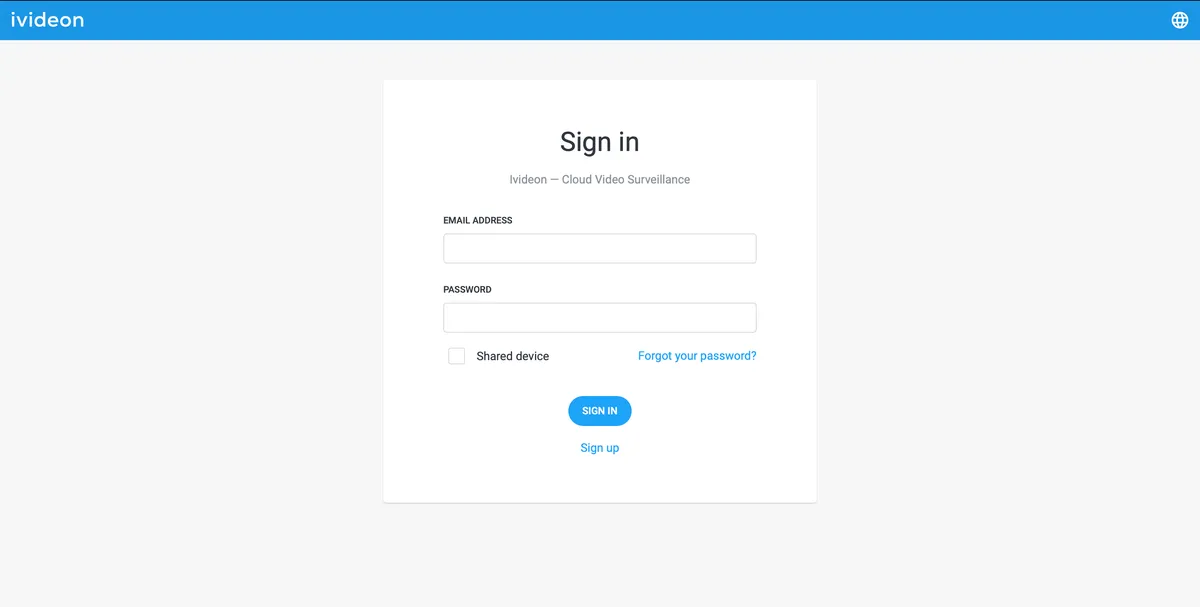
Click on the three vertical dots, then click Add Group.
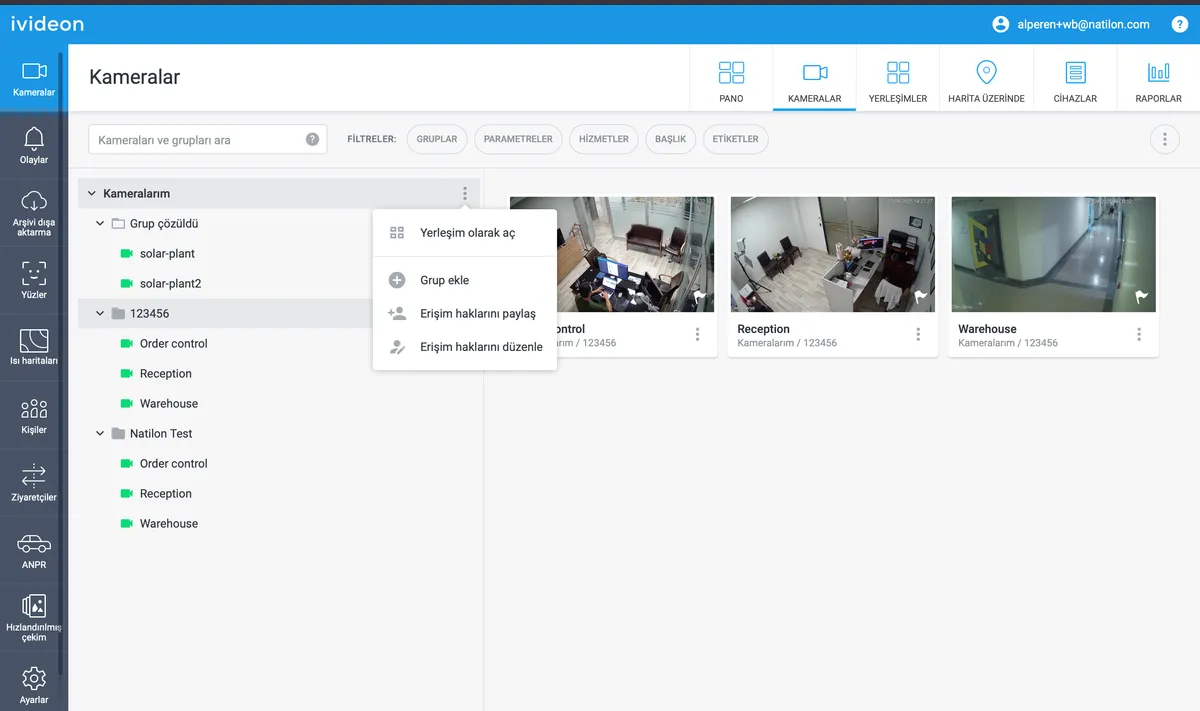
Name your group according to the six-digit pickup point ID (only numbers, no other characters are allowed). Click Add Group.
Select the cameras you want to add to this Pickup Point and click Save. The selected cameras will be added to this Pickup Point.
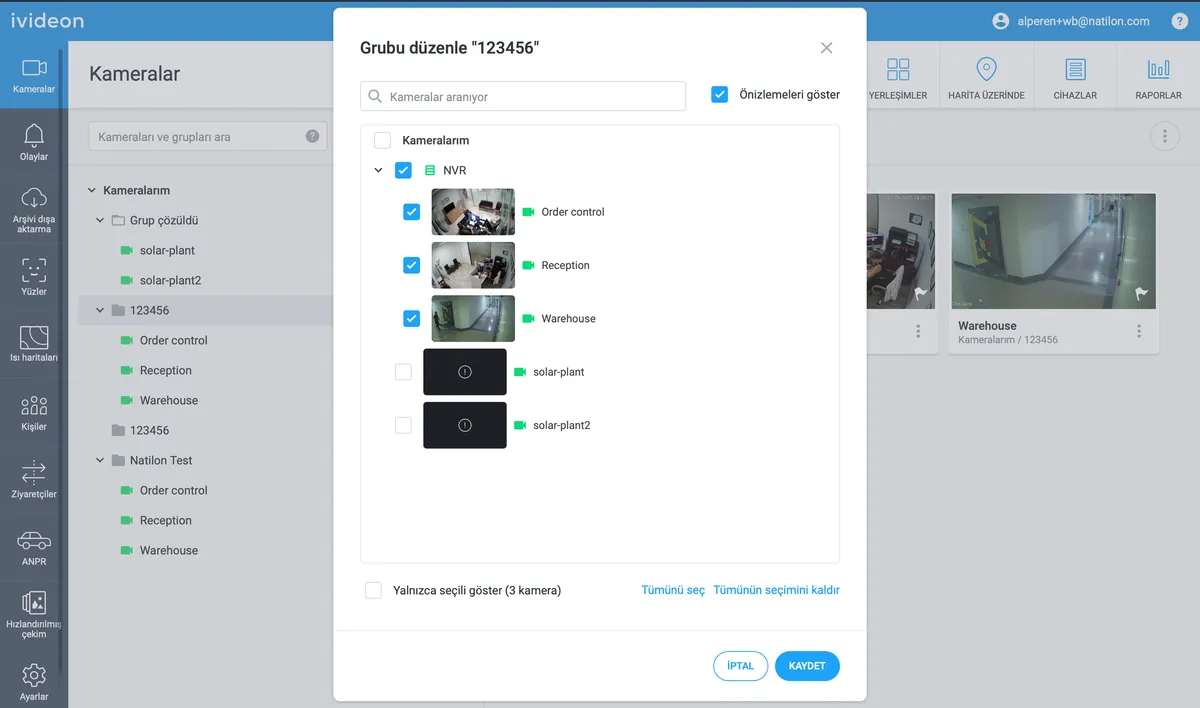

Step 2: Naming Cameras Correctly
In Wildberries pickup points, there should be three camera types:
- Delivery Area – Manager activities and general view of product delivery - General View – Monitors all activities at the point, product pickup and delivery - Warehouse – Monitors activities in the warehouse
All active cameras should be named according to their location.
Click on the three vertical dots to the right of the camera name.
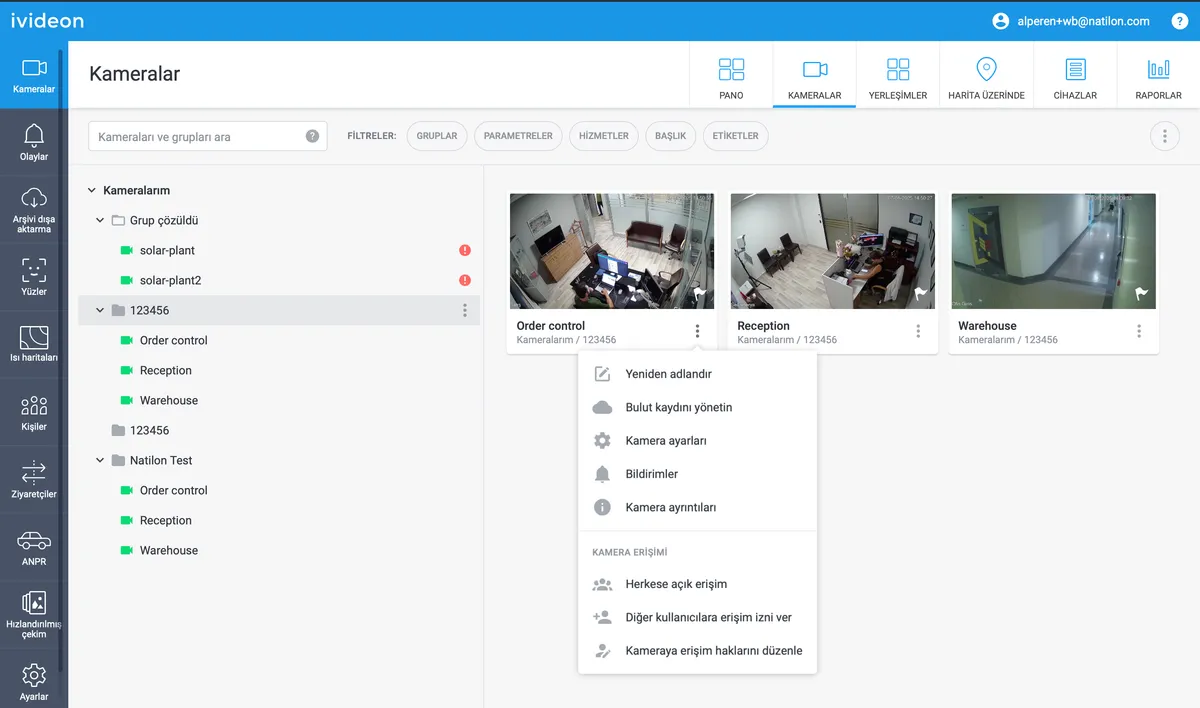
Choose a suitable name for your camera as described above.
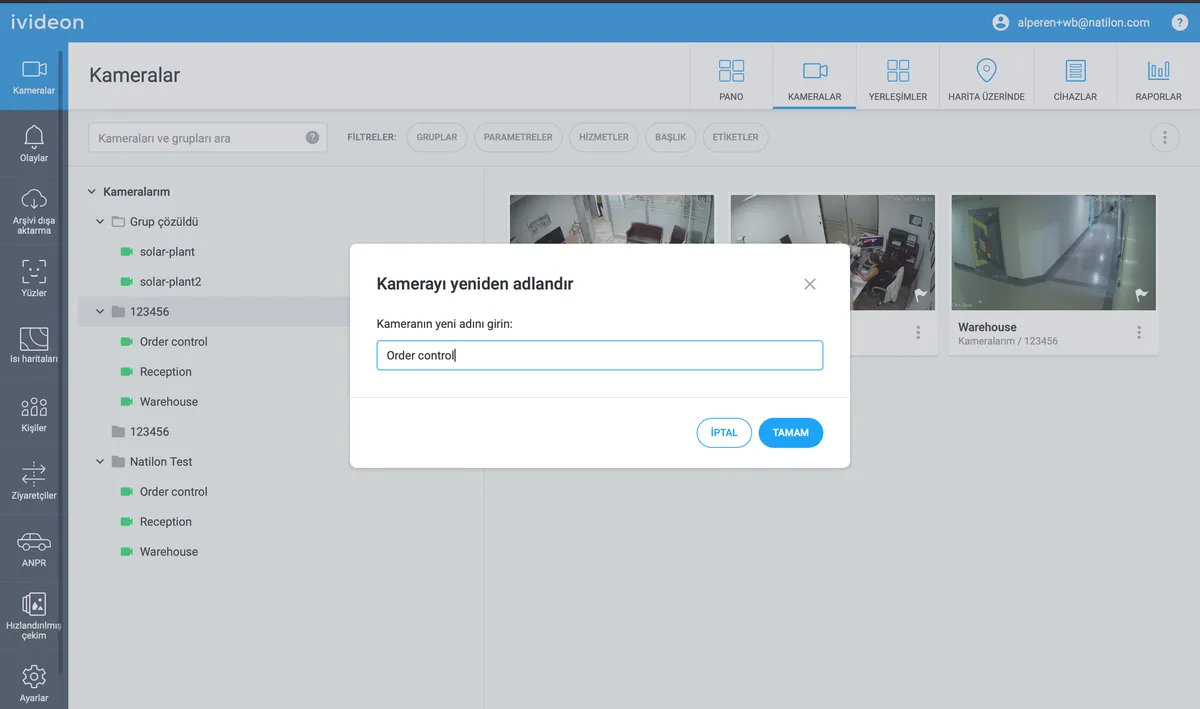
Step 3: Grant Access to Wildberries Main Account
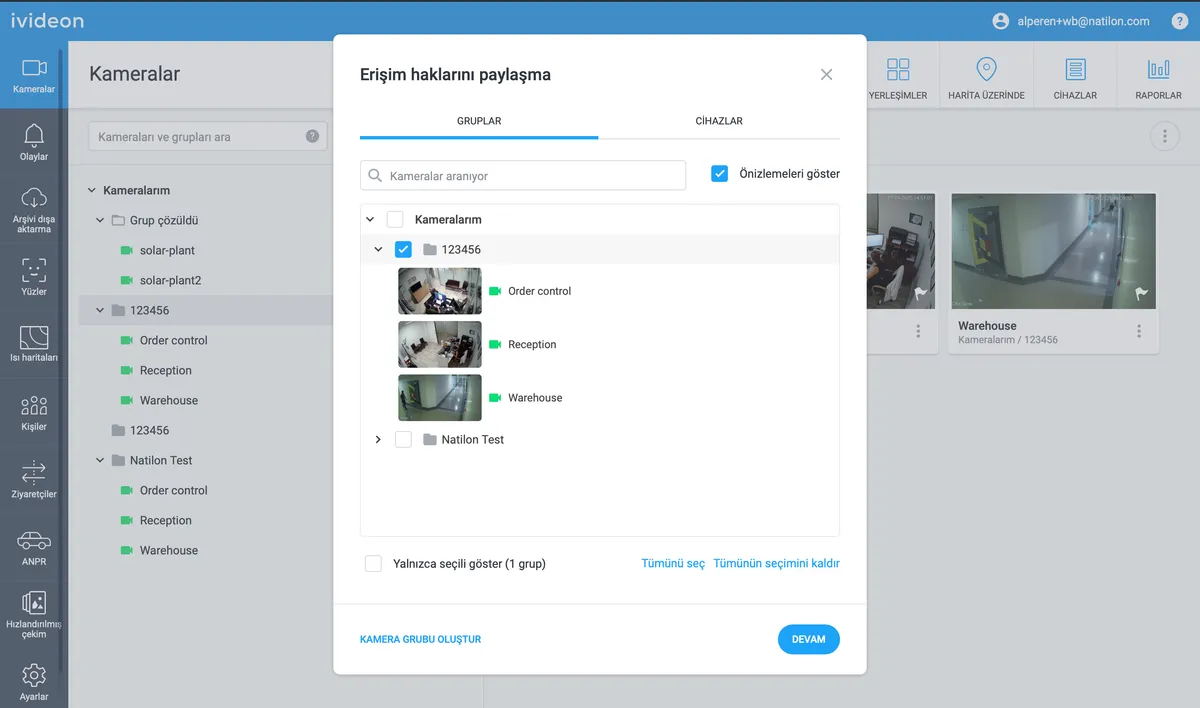
1. Click on the three verticall dots in the My Cameras 2. Click on Share Access Rights
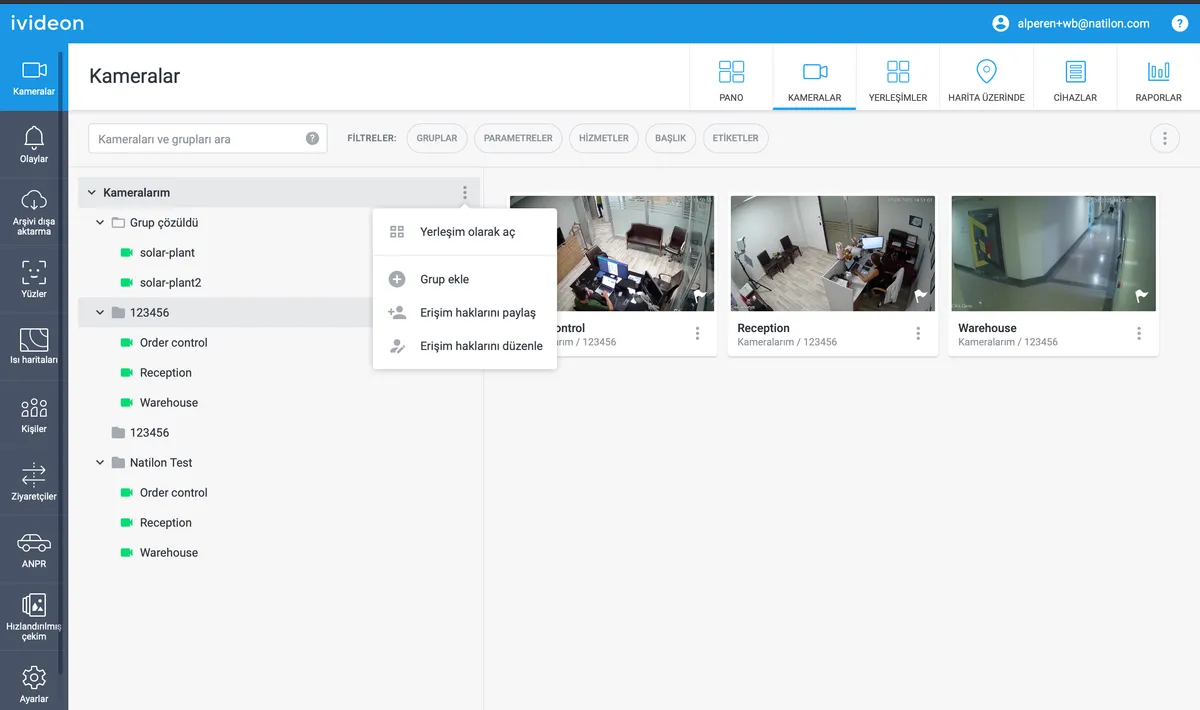
3. Select the related group. 4. Click on Continue.
5. Select the following permissions:
- [ ] Live Feed - [ ] Archive - [ ] Events and Notifications
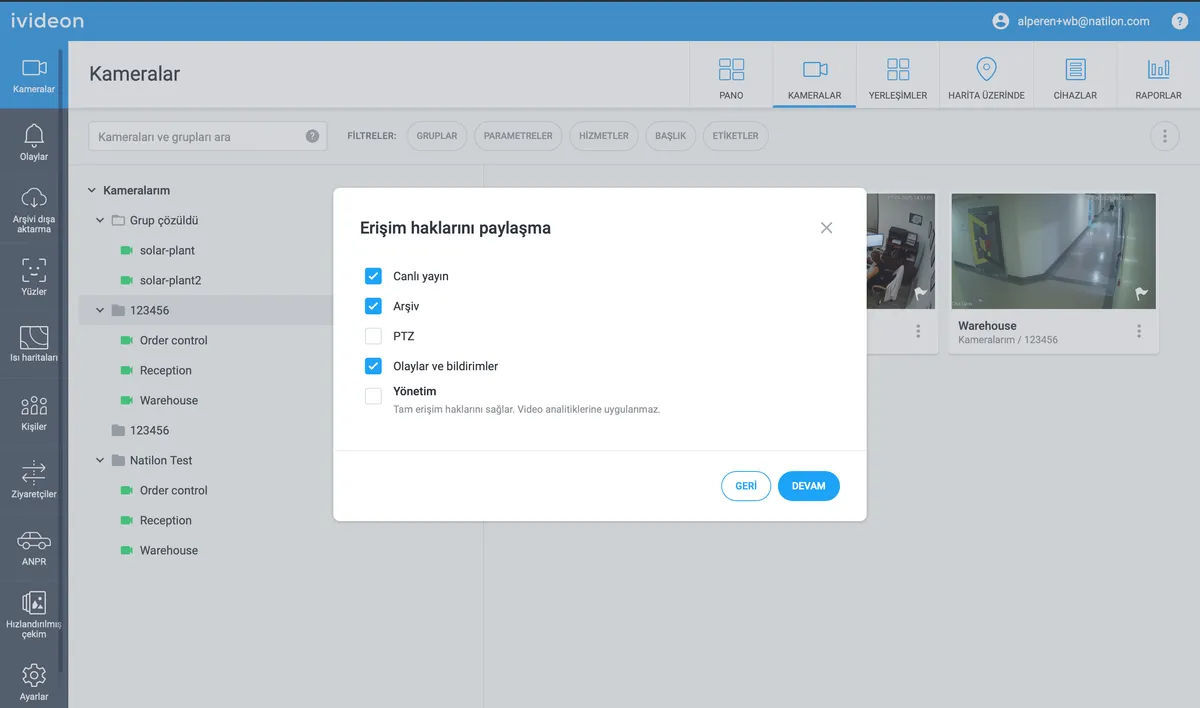
6. Click on Continue.
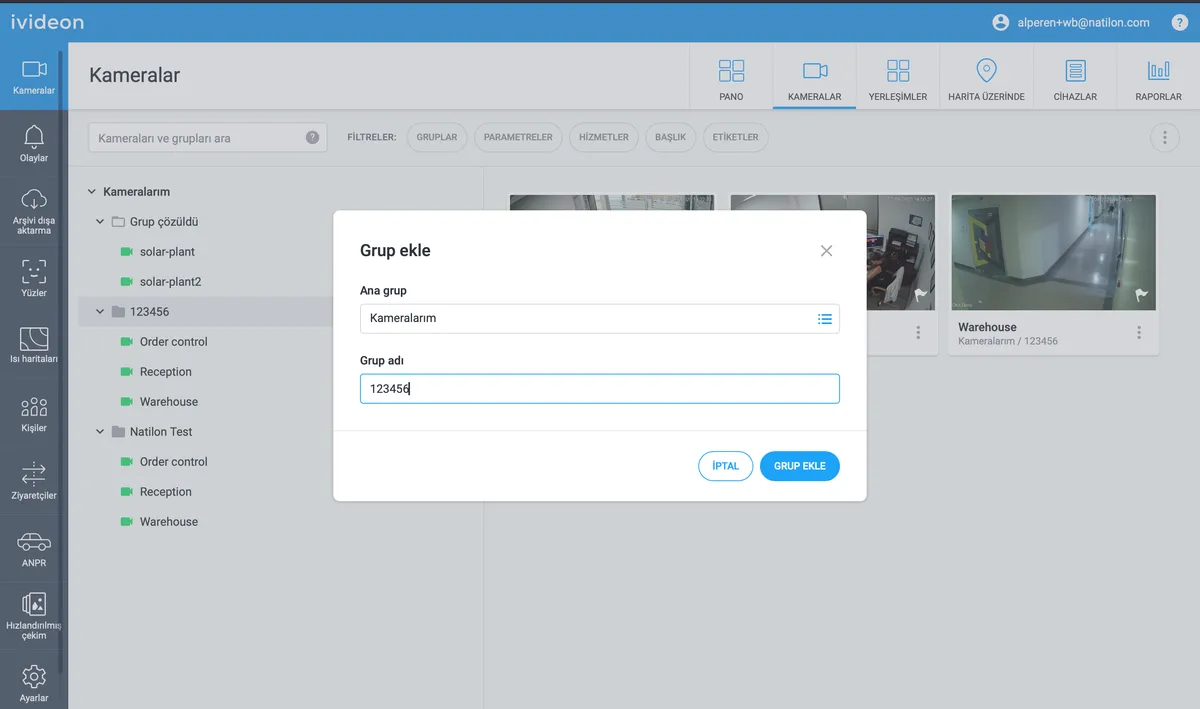
7. Enter the following main account email: `video_wb.point@wildberries.ru` 8. Click on Share Access Rights.